| Q: How do I save an FDmail message to an existing folder? |
| A:
Option 1 - When viewing an FDmail message, select the name of the folder where you would like to move the messge, then click 'Move'. 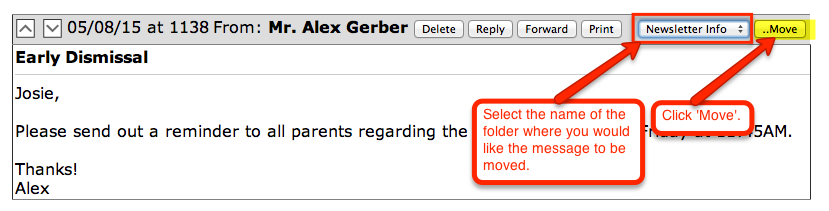 Option 2 - When viewing the list of messages in your Inbox, place a check mark(s) next to the message(s) you want to move to a specific folder. Next, select the name of the folder in the drop down, then click 'Save'. 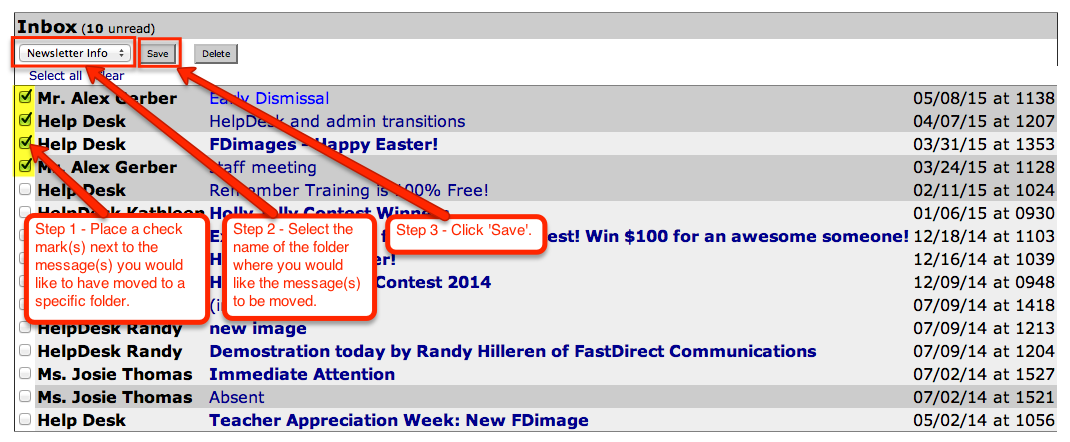 |